Image models are increasingly used in real product workflows—design
mockups, marketing assets, virtual try-on, and high-precision edits to
existing brand materials. To trust these systems in production, you need
more than “does it look good?” You need repeatable, workflow-specific
evaluation that measures whether outputs satisfy requirements, fail
safely, and improve predictably over time.
Vision evaluations(or vision evals) are harder than text evals because the “answer” is an image
that mixes:
Hard constraints: exact text, counts, attributes, locality
(“change only this region”).
Hidden failure modes: subtle distortions, unintended edits, or
small text errors that look fine at a glance but break product
requirements—especially in editing.
A good vision eval does not score “a pretty picture.” It scores
whether the model is reliable for a specific workflow. Many images
that look visually strong still fail because text is wrong, style is
off-brand, or edits spill beyond the intended area. Image evals measure
quality, controllability, and usability for real prompts—not just
visual appeal.
A vision eval harness is a small, repeatable system that turns “did this
image work?” into structured, comparable results across prompts,
models, and settings.
At a high level, vision evals follow the same loop as any LLM eval
system:
Use Case Ideas: UI mockups, marketing graphics/posters
Goal: evaluate text-to-image quality, controllability, and usefulness
for real prompts
Covers:
instruction following (constraints satisfied),
Text rendering (generated text is accurate, legible, and placed
correctly),
Styling (requested aesthetic + visual quality, may include brand,
character, and product consistency)
Human feedback alignment (rubric-based labels + pairwise prefs).
Image generation models are used to create artifacts that influence real
work: UI mockups, product designs, marketing graphics, and internal
presentations. In these contexts, images are not judged purely on visual
appeal. They are judged on whether they communicate intent, follow
constraints, and are usable by downstream stakeholders.
UI mockups generated by image models are increasingly used for early
product exploration, design ideation, and internal reviews. In these
workflows, mockups are not just visual inspiration. They are
communication tools that help designers, engineers, and stakeholders
reason about layout, hierarchy, interaction intent, and feature scope
before anything is built. As a result, success is defined less by
aesthetic taste and more by whether the output can plausibly function as
a product artifact.
Example:
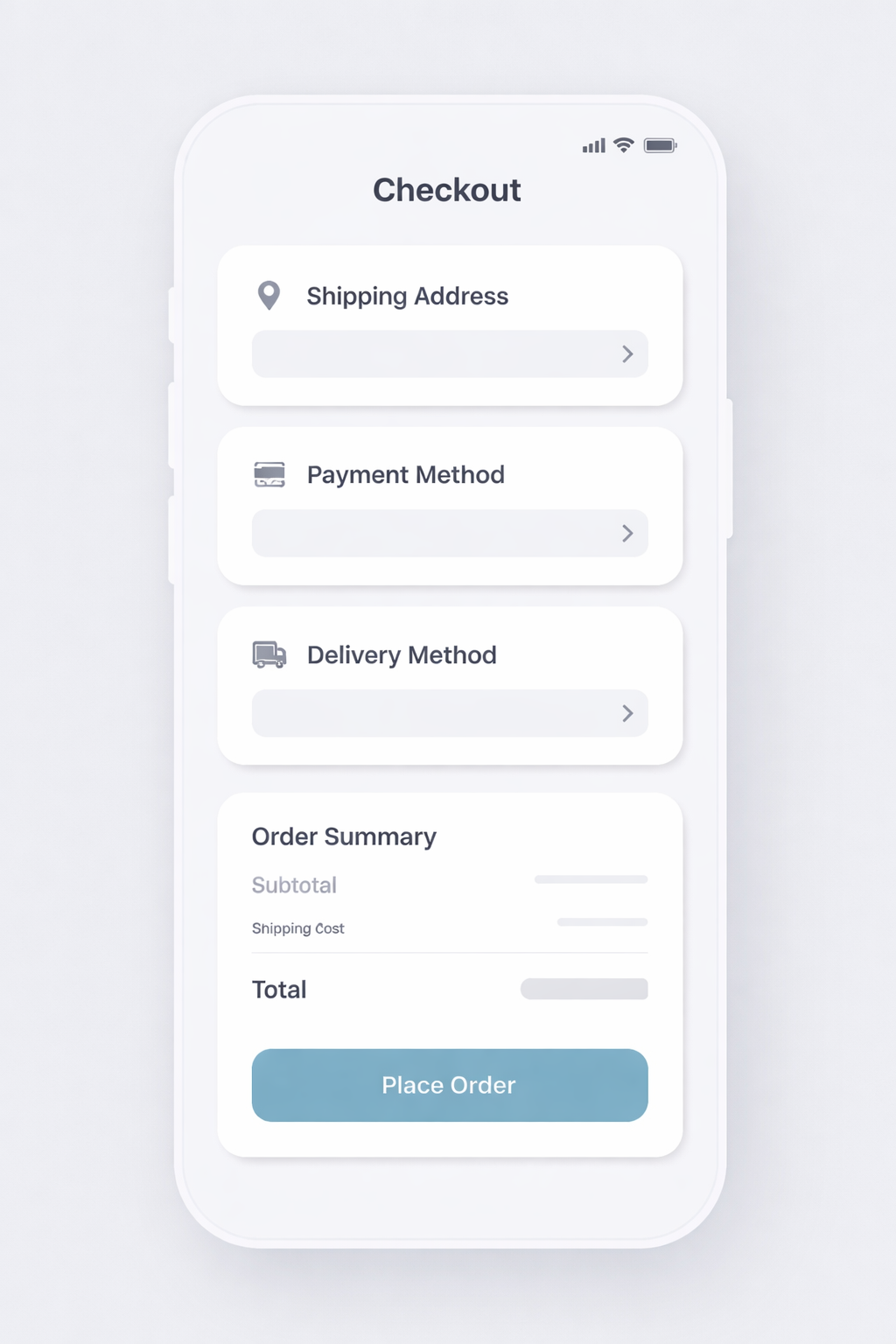
This section shows how to evaluate a generated UI mockup using a screen
level example. The goal is to evaluate whether the generated UI consists
of a coherent layout, uses recognizable components, and represents a
plausible product experience.
Why UI mockup evals are different
UI mockups combine several difficult evaluation dimensions:
Component Fidelity (gating)
The generated image must clearly depict the requested screen type
and state. Buttons should look clickable, inputs should look
editable, and navigation should look like navigation.
Layout Realization (graded)
A good UI mockup communicates instantly what the user can do and
what matters most. The layout should make primary actions obvious,
secondary actions clearly subordinate, and information grouped in a
way that reflects real interaction flow
In-Image Text Rendering (gating)
UI text encodes functionality. Labels, headings, and calls to action
must be legible and correctly rendered.
Example task: mobile checkout screen generation
Scenario: a consumer ecommerce app needs a mobile checkout screen to
review an order and complete payment.
Prompt guidance: be explicit about screen type, platform, required UI
elements, exact button/link text, hierarchy constraints, and
disallowed extras.
Implementation: the full prompt and criteria live in the harness
setup code cell below (ui_prompt and ui_criteria).
Most UI mockup evals start with instruction fidelity. At a basic level,
the question is simple: did the model generate the screen that was asked
for? If the prompt specifies a mobile checkout screen, the output should
look like a mobile checkout screen, not a generic landing page. Required
sections, states, or constraints should be present, and the overall
structure should match the intent of the request. This dimension is
often the most heavily weighted, because if the model misses the core
ask, the rest of the output does not matter. Once a UI mockup satisfies
the basic instruction, evaluation shifts to whether the screen is usable
and coherent as a product artifact.
PASS if
The correct screen type and platform context are present.
All required sections, states, or constraints are included.
FAIL if
Missing any required components or the output alters the UI’s purpose.
UI "usability clarity" is where humans add the most value. Keep it lightweight and focused on interaction intent.
Rubric labels (fast):
Would you use this mockup to iterate on a real product screen? (Y/N)
If N, why? (missing section, action button unclear, text unreadable, layout confusing, etc.)
Overall usability clarity: 1–5
Common failure tags (for debugging + iteration):
wrong_screen_type
missing_required_section
extra_ui_elements
primary_cta_not_clear
text_unreadable_or_garbled
affordances_unclear
layout_confusing
Verdict rules (how to convert metrics into a single pass/fail)
Instruction Following must PASS
Layout and Hierarchy ≥ 3
Text Rendering must PASS
UI Realism ≥ 3
If any rule fails → overall FAIL.
Example TestCase set (small but high-signal)
Start with a few cases that cover common UI mockup variants and edge
cases.
Mobilecheckout screen (the “checkout UI mockup” prompt
above)
Minimal layout (header + order total + primary CTA only) - tests
layout and hierarchy with sparse elements.
Dense hierarchy (order summary + payment method + promo row +
taxes + two secondary actions) - tests hierarchy under information
load.
Exact CTA text (primary button text must be exactly “Place
Order”) - tests in-image text rendering fidelity.
Secondary action presence (include both “Edit Cart” and “Change
payment method”) - tests secondary actions remain visually
subordinate.
Placement constraint (require order total directly above the
primary CTA)
Platform fidelity (mobile vs desktop version) - tests screen
framing and platform cues.
LLM-as-judge rubric prompt
Below is a judge prompt aligned to your existing LLMajRubricGrader. It
returns structured metric scores + an overall verdict.
You can use this with your existing grader by changing the JSON schema
to include the fields below (or create separate graders per metric if
you prefer).
PROMPT="""<core_mission>Evaluate whether a generated UI mockup image represents a usable mobile checkout screen by checking screen type fidelity, layout/hierarchy, in-image text rendering, and UI affordance clarity.</core_mission><role>You are an expert evaluator of UI mockups used by designers and engineers. You care about structural correctness, readable UI text, clear hierarchy, and realistic rendering of UI elements.</role><scope_constraints>- Judge only against the provided instructions.- Be strict about required UI elements and exact button/link text.- Do NOT infer intent beyond what is explicitly stated.- Do NOT reward creativity that violates constraints.- Missing or extra required components are serious errors.- If the UI intent or function is unclear, score conservatively.</scope_constraints><metrics>1) instruction_following: PASS/FAIL2) layout_hierarchy: 0–53) in_image_text_rendering: PASS/FAIL4) ui_affordance_rendering: 0–5</metrics>Evaluate EACH metric independently using the definitions below.--------------------------------1) Instruction Following (PASS / FAIL)--------------------------------PASS if:- All required components are present.- No unrequested components or features are added.- The screen matches the requested type and product context.FAIL if:- Any required component is missing.- Any unrequested component materially alters the UI.- The screen does not match the requested type.--------------------------------2) Layout and Hierarchy (0–5)--------------------------------5: Layout is clear, coherent, and immediately usable. Hierarchy, grouping, spacing, and alignment are strong.3: Generally understandable, but one notable hierarchy or layout issue that would require iteration.0-2: Layout problems materially hinder usability or comprehension.--------------------------------3) In-Image Text Rendering (PASS / FAIL)--------------------------------PASS if:- Text is readable, correctly spelled, and sensibly labeled.- Font sizes reflect hierarchy (headings vs labels vs helper text).FAIL if:- Any critical text is unreadable, cut off, misspelled, or distorted.--------------------------------4) UI Affordance Rendering (0–5)--------------------------------5: Clearly resembles a real product interface that designers could use.3: Marginally plausible; intent is visible but execution is weak.0-2: Poor realism; interface would be difficult to use in practice.<verdict_rules>- Instruction Following must PASS.- In-Image Text Rendering must PASS.- Layout and Hierarchy score must be ≥ 3.- UI Affordance Rendering score must be ≥ 3.If ANY rule fails, the overall verdict is FAIL.Do not average scores to determine the verdict.</verdict_rules><output_constraints>Return JSON only.No extra text.</output_constraints>"""
Define a UI mockup test case, a model run, and an output store under images/.
# Capture the UI judge prompt before PROMPT is overwritten later.ui_judge_prompt =PROMPTui_prompt ="""Generate a high-fidelity mobile checkout screen for an ecommerce app.Orientation: portrait.Screen type: checkout / order review.Use the REQUIRED TEXT:- Checkout- Place Order- Edit CartConstraints:- Order total appears directly above the primary CTA.- Primary CTA is the most visually prominent element.- Do not include popups, ads, marketing copy, or extra screens.- Do not include placeholder or lorem ipsum text."""ui_criteria ="""The image clearly depicts a mobile checkout screen.All required sections are present and visually distinct.UI elements look clickable/editable and follow common conventions.Primary vs secondary actions are unambiguous.No extra UI states, decorative noise, or placeholder text."""ui_case = TestCase(id="ui_checkout_mockup",task_type="image_generation",prompt=ui_prompt,criteria=ui_criteria,)ui_run = ModelRun(label="gpt-image-1.5-ui",task_type="image_generation",params={"model": "gpt-image-1.5","n": 1,"size": "1024x1024", },)ui_store = OutputStore(root=Path("../../images"))
Show the prompt, generated image, and scores in a single pandas table.
render_result_table(case=ui_case, result=ui_result, title="UI Mockup: Prompt vs. Scores")
UI Mockup: Prompt vs. Scores
Input Prompt
Scores
Reasoning
Generate a high-fidelity mobile checkout screen for an ecommerce app.
Orientation: portrait.
Screen type: checkout / order review.
Use the REQUIRED TEXT:
- Checkout
- Place Order
- Edit Cart
Constraints:
- Order total appears directly above the primary CTA.
- Primary CTA is the most visually prominent element.
- Do not include popups, ads, marketing copy, or extra screens.
- Do not include placeholder or lorem ipsum text.


Criteria:
The image clearly depicts a mobile checkout screen.
All required sections are present and visually distinct.
UI elements look clickable/editable and follow common conventions.
Primary vs secondary actions are unambiguous.
No extra UI states, decorative noise, or placeholder text.
All required text is present ("Checkout", "Edit Cart", "Place Order"). Screen clearly matches a mobile checkout/order review with distinct sections (Shipping Information, Payment Method, Items, Order Summary). Order Total appears directly above the primary CTA, and the "Place Order" button is the most visually prominent element. No popups, ads, marketing copy, or lorem/placeholder text. Text is crisp and readable with appropriate hierarchy. UI elements (back arrow, Edit Cart link, Change links, primary CTA) have clear, realistic affordances.
Marketing graphics are a “high-stakes text-to-image” workflow: the
output is meant to ship (or at least be reviewed as if it could ship).
A flyer can look “nice” but still fail if the copy is wrong, the offer
is unclear, or the layout hides the key message.
This section shows how to evaluate flyer generation with a coffee
shop example. The goal is to make evaluation workflow-relevant: can a
marketer or designer use this output with minimal edits?
Example:
Why marketing graphics evals are different
Marketing images combine three hard problem types:
Exact text requirements (gating)
Layout + hierarchy (graded)
Style + brand consistency (graded + optional human prefs)
Example task: Coffee shop flyer generation
Scenario: a local coffee shop needs a promotional flyer for a
limited-time drink and a weekday deal.
Prompt guidance: be explicit about the deliverable, required copy,
hierarchy, and disallowed extras.
Implementation: the full prompt and criteria live in the harness
setup code cell below (coffee_generation_prompt and
coffee_criteria).
Colorway constraint (“use only cream + dark brown + muted orange”)
Accessibility variant (high contrast, large text, simple background)
LLM-as-judge rubric prompt
Below is a judge prompt aligned to your existing LLMajRubricGrader. It returns structured metric scores + an overall verdict.
You can use this with your existing grader by changing the JSON schema to include the fields below (or create separate graders per metric if you prefer).
PROMPT="""<core_mission>Evaluate whether a generated marketing flyer is usable for a real coffee shoppromotion by checking instruction adherence, exact text correctness, layout clarity,style fit, and artifact severity.</core_mission><role>You are an expert evaluator of marketing design deliverables.You care about correctness, readability, hierarchy, and brand-fit.You do NOT reward creativity that violates constraints.</role><scope_constraints>- Judge ONLY against the provided prompt and criteria.- Be strict about required copy: spelling, punctuation, casing, and symbols must match exactly.- Extra or missing text is a serious error.- If unsure, score conservatively (lower score).</scope_constraints><metrics>1) instruction_following: PASS/FAIL2) text_rendering: PASS/FAIL3) layout_hierarchy: 0-54) style_brand_fit: 0-55) visual_quality: 0-5Use these anchors:Layout/Hierarchy 5 = instantly readable; clear order; strong spacing/alignment.3 = understandable but needs iteration (one clear issue).0-2 = confusing or hard to parse.Style/Brand Fit 5 = clearly matches requested vibe; consistent; not off-style.3 = generally matches but with noticeable mismatch.0-2 = wrong style (e.g. cartoonish when photo-real requested).Visual Quality 5 = clean; no distracting artifacts; hero image coherent.3 = minor artifacts but still usable.0-2 = obvious artifacts or distortions that break usability.</metrics><verdict_rules>Overall verdict is FAIL if:- instruction_following is FAIL, OR- text_rendering is FAIL, OR- any of layout_hierarchy/style_brand_fit/visual_quality is < 3.Otherwise PASS.</verdict_rules><output_constraints>Return JSON only.No extra text.</output_constraints>"""
Define a single marketing flyer test case, a model run, and an output store.
# Run the harness for a single coffee flyer generation case.coffee_generation_prompt ="""Create a print-ready vertical A4 flyer for a coffee shop called Sunrise Coffee.Use a warm, cozy, minimal specialty coffee aesthetic (not cartoonish).Required text (must be exact):- WINTER LATTE WEEK- Try our Cinnamon Oat Latte- 20% OFF - Mon-Thu- Order Ahead- 123 Market St - 7am-6pmDo not include any other words, prices, URLs, or QR codes."""coffee_criteria ="""All required text appears exactly as written and is legible.Layout reads clearly: shop name -> headline -> subheadline -> offer -> CTA -> footer.Style matches warm, cozy, specialty coffee and is not cartoonish.No extra text, watermarks, or irrelevant UI-like elements."""coffee_case = TestCase(id="coffee_flyer_generation",task_type="image_generation",prompt=coffee_generation_prompt,criteria=coffee_criteria,)coffee_run = ModelRun(label="gpt-image-1.5",task_type="image_generation",params={"model": "gpt-image-1.5","n": 1,"size": "1024x1024", },)# Save artifacts under the repo images/ folder so they render on the site.coffee_store = OutputStore(root=Path("../../images"))
Render the generated image, prompt, and scores side by side.
render_result_table(case=coffee_case, result=coffee_result, title="Coffee Flyer: Prompt vs. Scores")
Coffee Flyer: Prompt vs. Scores
Input Prompt
Scores
Reasoning
Create a print-ready vertical A4 flyer for a coffee shop called Sunrise Coffee.
Use a warm, cozy, minimal specialty coffee aesthetic (not cartoonish).
Required text (must be exact):
- WINTER LATTE WEEK
- Try our Cinnamon Oat Latte
- 20% OFF - Mon-Thu
- Order Ahead
- 123 Market St - 7am-6pm
Do not include any other words, prices, URLs, or QR codes.


Criteria:
All required text appears exactly as written and is legible.
Layout reads clearly: shop name -> headline -> subheadline -> offer -> CTA -> footer.
Style matches warm, cozy, specialty coffee and is not cartoonish.
No extra text, watermarks, or irrelevant UI-like elements.
All required lines appear and match exactly (including casing, hyphen/en-dash, and punctuation), with no extra words, prices, URLs, or QR codes. Text is crisp and legible. Hierarchy follows the requested order: shop name at top, then headline, subheadline, offer, CTA, and footer address/hours. Visual style is warm, cozy, minimal specialty coffee with a realistic latte photo (not cartoonish). No visible watermarks, UI elements, or distracting artifacts; overall print-flyer quality is clean.
Another evaluation approach is to shift the problem into a different modality—text. In this setup, images are first converted into a verbose textual description using a vision model, and evaluations are then performed by comparing the generated text against the expected text.
This method works particularly well for OCR-style workflows. For example, you can extract text from a generated flyer using a vision model and then compare the resulting text lines directly against the required copy set to verify correctness and completeness.
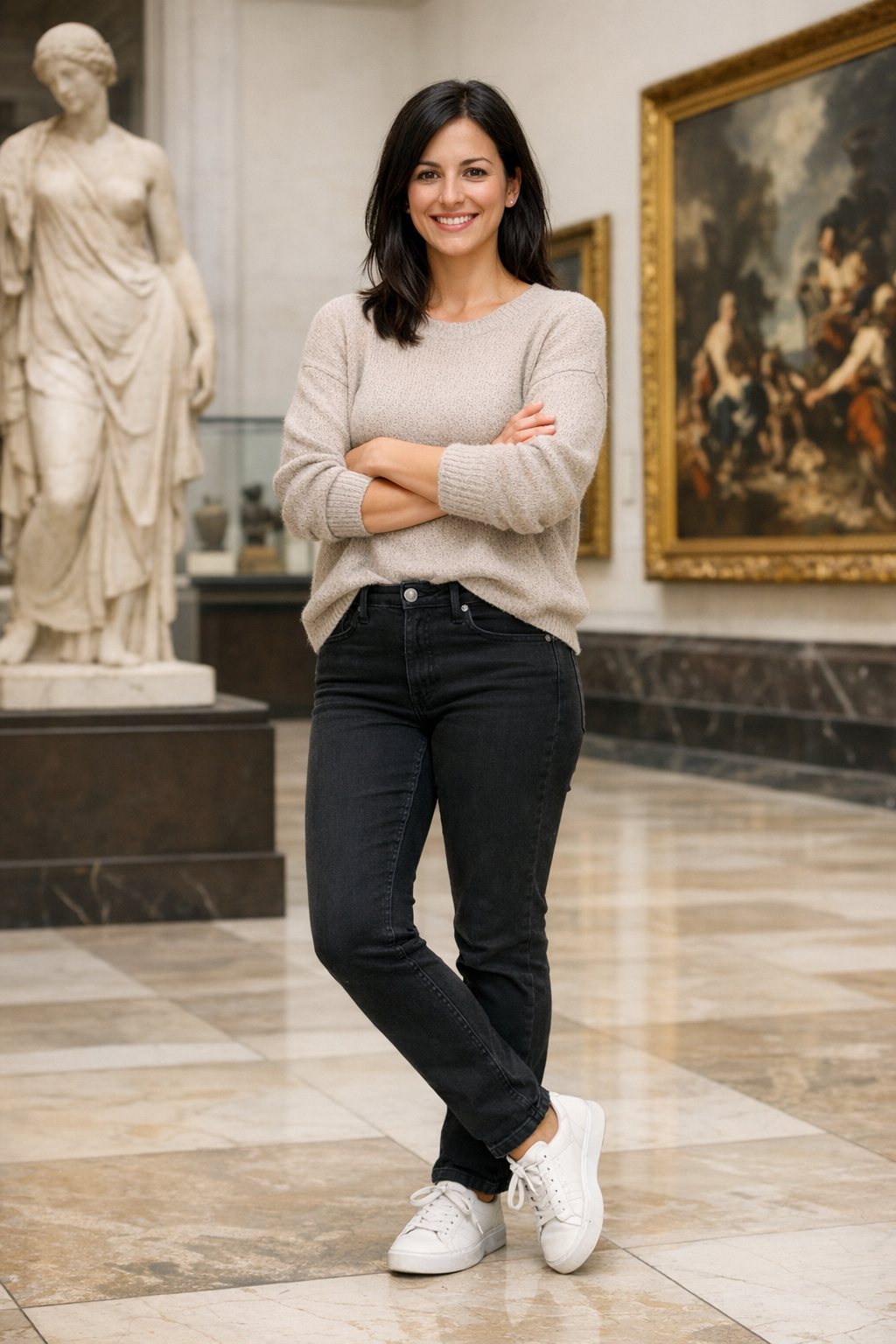
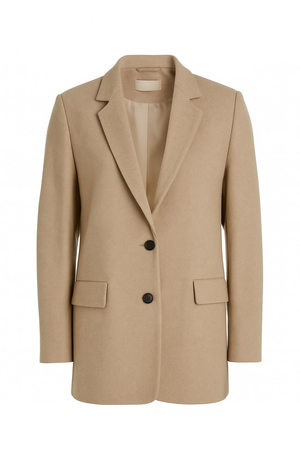
Virtual try-on (VTO) is an image editing workflow: given a person
photo (selfie or model) and a garment reference (product photo
and/or description), generate an output where the garment looks
naturally worn—while keeping the person’s identity, pose, and scene
intact.
Why VTO evals are different
Unlike “creative” edits, VTO is judged on fidelity + preservation:
Preserve the wearer (face identity, body shape, pose)
Preserve the product (color, pattern, logos, material cues)
Use these as 0–5 scores to rank models and track improvement. Keep
them separate (don’t average them inside the grader); use verdict
rules outside if you want gates.
Measures whether the output preserves the same person (identity), not
just “a plausible face.”
5: Clearly the same person; key facial features unchanged; no
noticeable age/ethnicity/style drift; expression changes (if any) are
minor and realistic.
4: Same person; tiny differences only noticeable on close
inspection (minor shape/texture smoothing, slight eye/mouth drift).
3: Mostly the same person, but at least one noticeable identity
drift (feature proportions, jawline, eyes, nose) that would reduce
user trust.
2: Significant identity drift; looks like a different person or
heavily altered face.
1: Major corruption (melted/blurry face) or clearly different
identity.
Measures whether the model preserves the wearer’s body shape, pose, and
proportions outside normal garment effects (e.g., loose clothing can
change silhouette, but shouldn’t reshape anatomy).
5: Body proportions and pose are preserved; garment conforms
naturally without warping torso/limbs.
4: Minor, plausible silhouette changes consistent with clothing;
no obvious anatomical distortion.
3: Noticeable reshaping (waist/hips/shoulders/limbs) that feels
slightly “AI-stylized” or inconsistent with the input body.
2: Significant warping (elongated limbs, shifted joints,
compressed torso) that would be unacceptable in product use.
1: Severe anatomical distortion (extra/missing limbs, melted body
regions).
0: Body is not recognizable or is fundamentally corrupted.
Use existing images from images/ as the person and garment references.
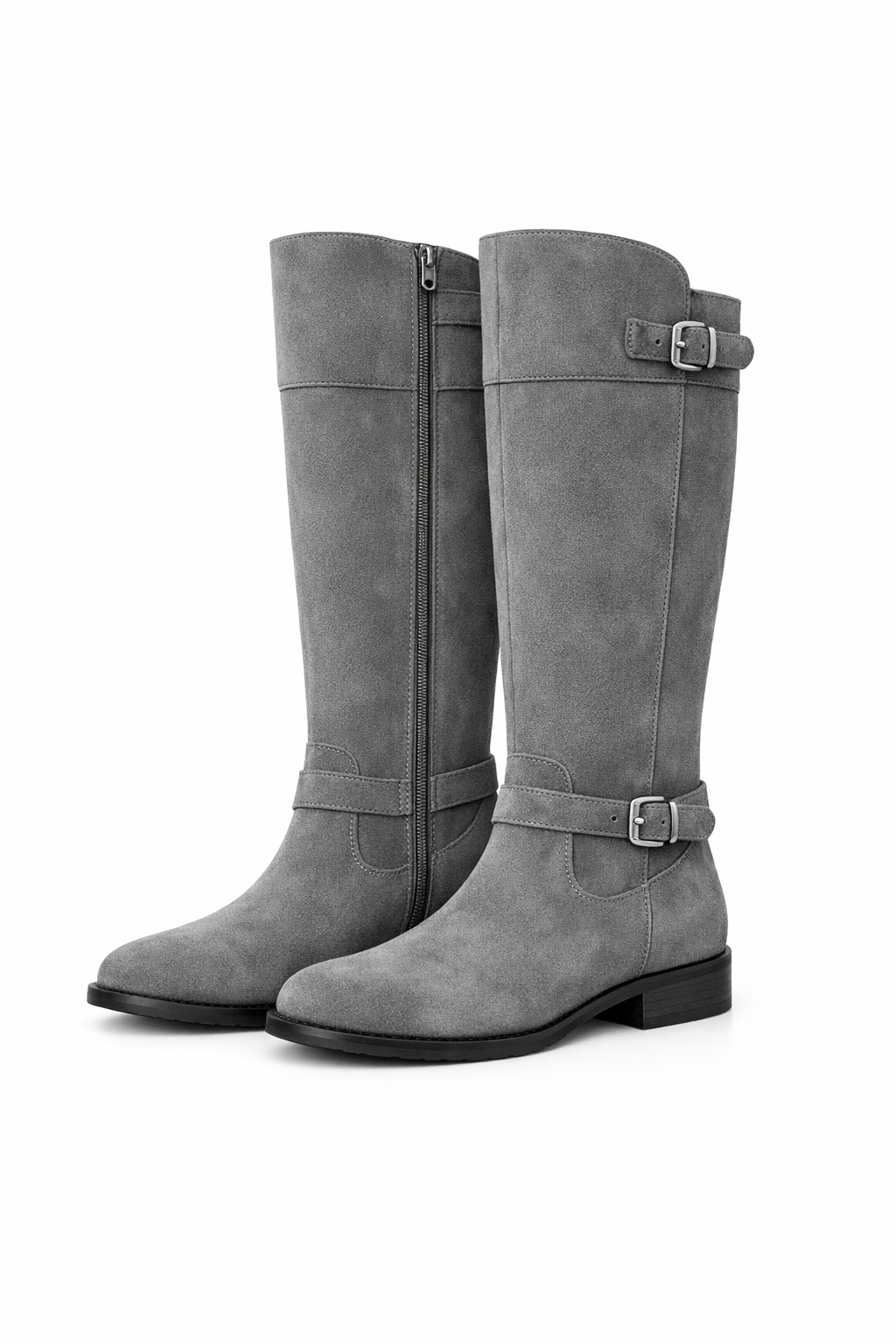
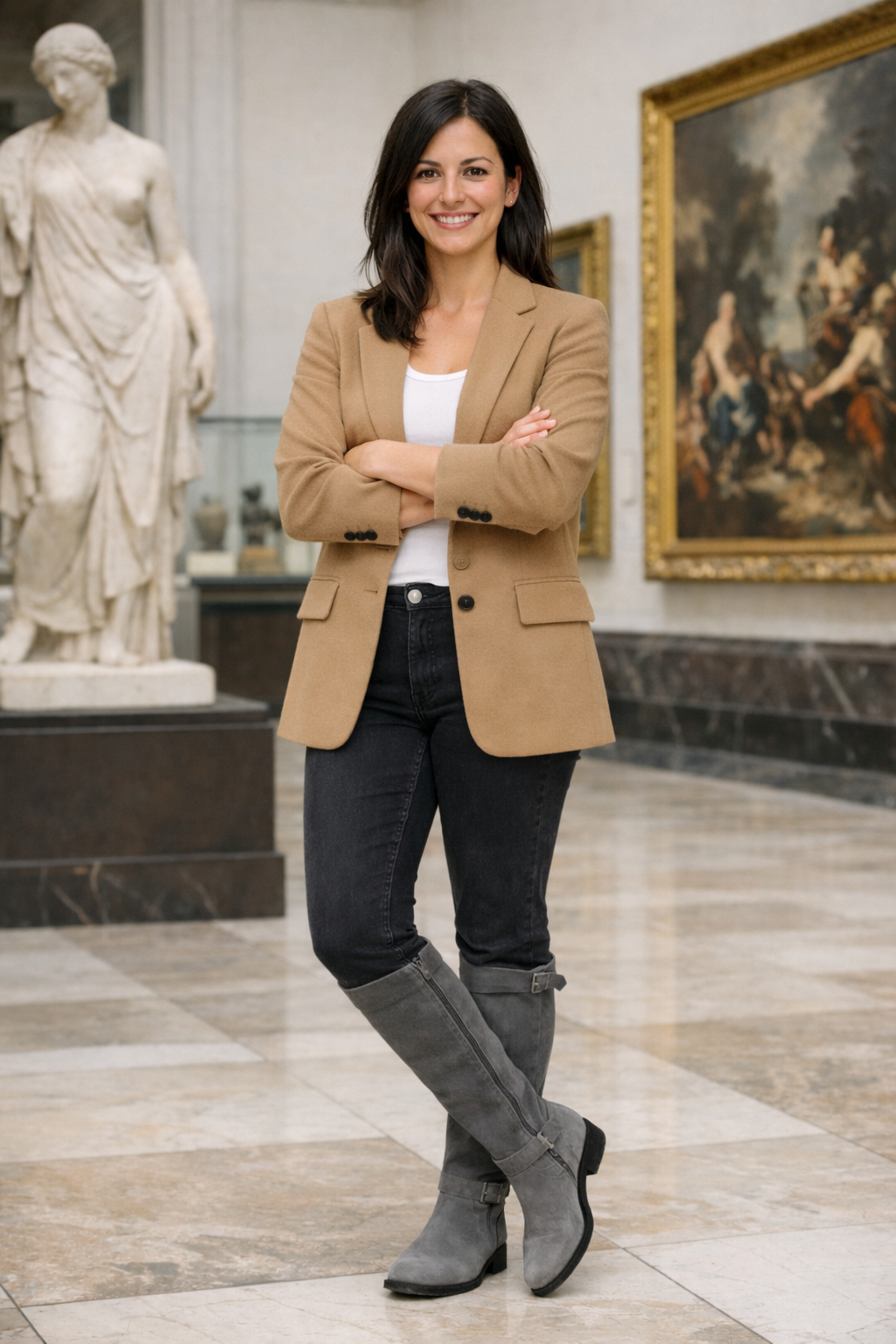
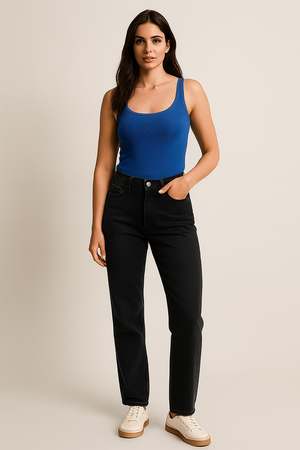
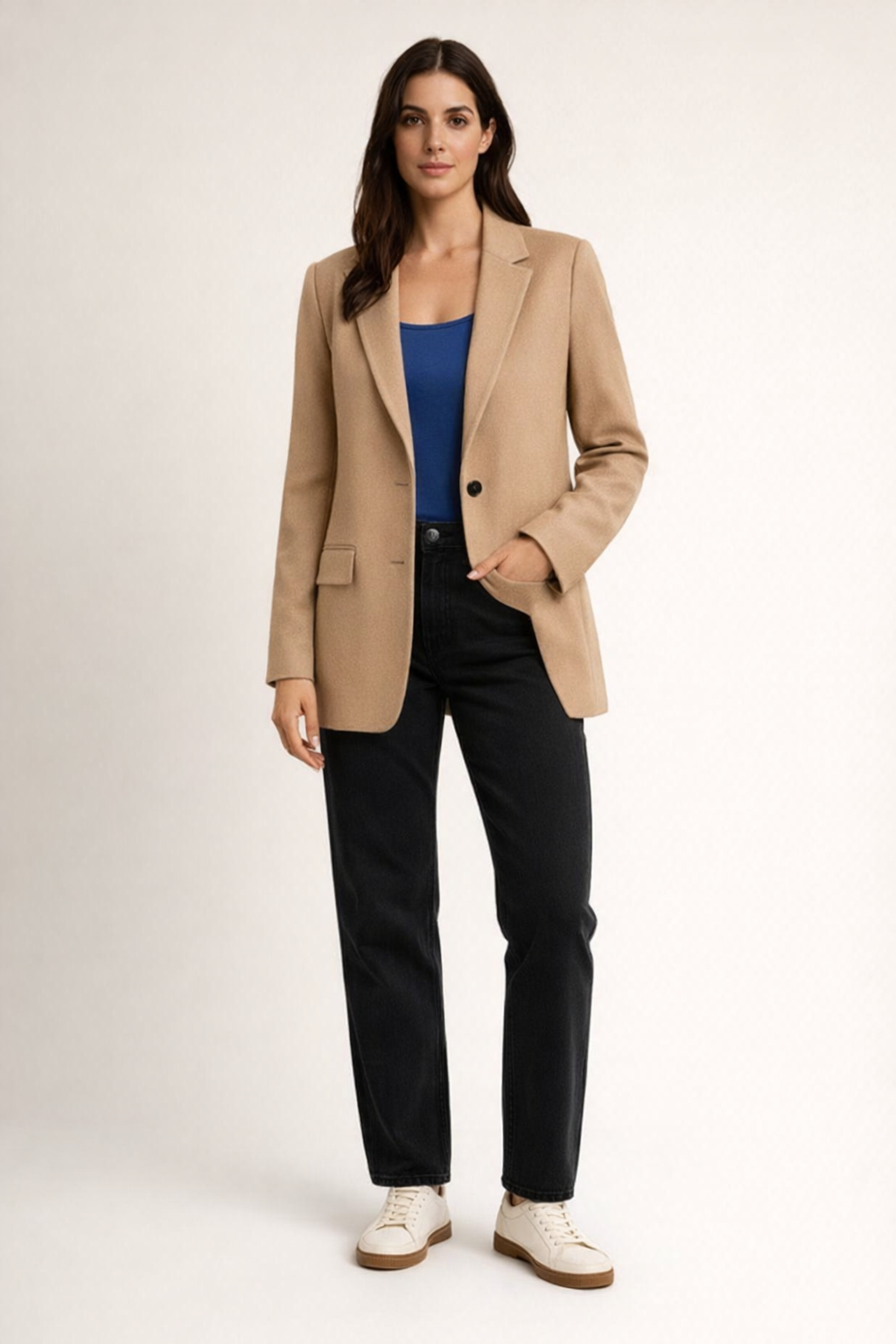
vto_person_path = Path("../../images/base_woman.png")vto_garment_path = Path("../../images/jacket.png")vto_prompt ="""Put the person in the first image into the jacket shown in the second image.Keep the person's face, pose, body shape, and background unchanged.Preserve the garment's color, pattern, and key details.Do not add extra accessories, text, or new elements."""vto_criteria ="""The output preserves the same person and background.The jacket matches the reference garment closely.Body shape and pose remain consistent outside normal garment effects.The result looks physically plausible."""vto_case = TestCase(id="vto_jacket_tryon",task_type="image_editing",prompt=vto_prompt,criteria=vto_criteria,image_inputs=ImageInputs(image_paths=[vto_person_path, vto_garment_path]),)vto_run = ModelRun(label="gpt-image-1.5-vto",task_type="image_editing",params={"model": "gpt-image-1.5","n": 1, },)vto_store = OutputStore(root=Path("../../images"))
Define a VTO judge prompt aligned to the VTO metrics and run the harness.
vto_judge_prompt ="""<core_mission>Evaluate whether a virtual try-on edit preserves the person while accurately applying the reference garment.</core_mission><role>You are an expert evaluator of virtual try-on outputs.You focus on identity preservation, garment fidelity, and body-shape preservation.</role><metrics>1) facial_similarity: 0-52) outfit_fidelity: 0-53) body_shape_preservation: 0-5</metrics><verdict_rules>FAIL if any metric <= 2.PASS if all metrics >= 3.</verdict_rules><output_constraints>Return JSON only with the fields specified in the schema.</output_constraints>"""vto_schema = {"type": "object","properties": {"verdict": {"type": "string"},"facial_similarity": {"type": "number"},"outfit_fidelity": {"type": "number"},"body_shape_preservation": {"type": "number"},"reason": {"type": "string"}, },"required": ["verdict","facial_similarity","outfit_fidelity","body_shape_preservation","reason", ],"additionalProperties": False,}defparse_vto_result(data: dict, base_key: str) -> list[Score]:return [ Score(key="facial_similarity", value=float(data["facial_similarity"]), reason=""), Score(key="outfit_fidelity", value=float(data["outfit_fidelity"]), reason=""), Score(key="body_shape_preservation", value=float(data["body_shape_preservation"]), reason=""), Score(key="verdict", value=str(data["verdict"]), reason=(data.get("reason") or"").strip()), ]vto_grader = LLMajRubricGrader(key="vto_eval",system_prompt=vto_judge_prompt,content_builder=build_editing_judge_content,judge_model="gpt-5.2",json_schema_name="vto_eval",json_schema=vto_schema,result_parser=parse_vto_result,)vto_results = evaluate(cases=[vto_case],model_runs=[vto_run],graders=[vto_grader],output_store=vto_store,)vto_result = vto_results[0]vto_result
{'test_id': 'vto_jacket_tryon',
 'model_label': 'gpt-image-1.5-vto',
 'task_type': 'image_editing',
 'artifact_paths': ['../../images/edit_vto_jacket_tryon_gpt-image-1.5-vto_1769658750053_0.png'],
 'scores': {'facial_similarity': 5.0,
  'outfit_fidelity': 4.0,
  'body_shape_preservation': 4.0,
  'verdict': 'PASS'},
 'reasons': {'facial_similarity': '',
  'outfit_fidelity': '',
  'body_shape_preservation': '',
  'verdict': 'The edited output preserves the same face, hairstyle, pose, and plain studio background. The applied jacket closely matches the reference: camel/beige color, notch lapels, single-breasted look with dark buttons, and flap pockets are present and placed plausibly. Minor deviations include slightly different button count/placement and subtle differences in lapel/hem shaping compared to the flat lay. Body proportions and stance remain consistent, with only natural silhouette changes from wearing a structured blazer.'},
 'run_params': {'model': 'gpt-image-1.5', 'n': 1}}
If you want finer-grained evidence (logos, seams, fit, face details), you can run a
secondary judge that uses the Code Interpreter crop tool to zoom into regions.
This is useful for close-up checks on garment fidelity and identity preservation.
vto_output_path = Path(vto_result["artifact_paths"][0])instructions ="""Tools available:- crop(image_id, x1, y1, x2, y2): Use to zoom into a specific image's region. Coordinates are integer pixels relative to the top-left of the CURRENT view of that image. Use as few precise crops as necessary to gather evidence. - When using crop(image_id, x1, y1, x2, y2), ensure that x2 > x1 and y2 > y1. The coordinates must define a valid rectangle: x1 (left, inclusive), y1 (top, inclusive), x2 (right, exclusive), y2 (bottom, exclusive), with x2 strictly greater than x1 and y2 strictly greater than y1. If you are unsure, double-check your coordinates before cropping to avoid errors.Images provided:- Up to 5 user reference photos (ref_1..ref_5) for identity/baseline body context- 1 clothing-only image (clothing)- 1 reconstruction image (recon)Your goals:1) Judge similarity between the clothing-only image and how it appears on the user in the reconstruction.2) Judge identity realism (face/hair/skin) vs. user reference photos.3) Judge overall realism (lighting, shadows, artifacts).IMPORTANT:- Use the crop tool when you need more detail. After crop, a new grid overlay is returned for that image.- You may use the crop tool as many times as needed to gather evidence.- When confident, produce the final STRICT JSON only. No extra text."""judge_client = client if"client"inglobals() else OpenAI()response_crop = judge_client.responses.create(model="gpt-5.2",instructions=instructions,tools=[ {"type": "code_interpreter","container": {"type": "auto", "memory_limit": "4g"}, } ],input=[ {"role": "user","content": [ {"type": "input_text","text": "Order: ref_1 (person), clothing (garment reference), recon (try-on output).", }, {"type": "input_image","image_url": image_to_data_url(vto_person_path), }, {"type": "input_image","image_url": image_to_data_url(vto_garment_path), }, {"type": "input_image","image_url": image_to_data_url(vto_output_path), }, ], } ],)response_crop
Response(id='resp_03756a1c45c8427000697ad91445ec8196a58b39ee7e0b05b1', created_at=1769658644.0, error=None, incomplete_details=None, instructions="\nTools available:\n- crop(image_id, x1, y1, x2, y2): Use to zoom into a specific image's region. Coordinates are integer pixels relative to the top-left of the CURRENT view of that image. Use as few precise crops as necessary to gather evidence.\n - When using crop(image_id, x1, y1, x2, y2), ensure that x2 > x1 and y2 > y1. The coordinates must define a valid rectangle: x1 (left, inclusive), y1 (top, inclusive), x2 (right, exclusive), y2 (bottom, exclusive), with x2 strictly greater than x1 and y2 strictly greater than y1. If you are unsure, double-check your coordinates before cropping to avoid errors.\n\nImages provided:\n- Up to 5 user reference photos (ref_1..ref_5) for identity/baseline body context\n- 1 clothing-only image (clothing)\n- 1 reconstruction image (recon)\n\nYour goals:\n1) Judge similarity between the clothing-only image and how it appears on the user in the reconstruction.\n2) Judge identity realism (face/hair/skin) vs. user reference photos.\n3) Judge overall realism (lighting, shadows, artifacts).\n\nIMPORTANT:\n- Use the crop tool when you need more detail. After crop, a new grid overlay is returned for that image.\n- You may use the crop tool as many times as needed to gather evidence.\n- When confident, produce the final STRICT JSON only. No extra text.\n", metadata={}, model='gpt-5.2-2025-12-11', object='response', output=[ResponseCodeInterpreterToolCall(id='ci_03756a1c45c8427000697ad91aaf108196974c45daf37a9a18', code="from PIL import Image, ImageOps\nimg1=Image.open('/mnt/data/143ba8edc474910b395d0d44e2f06a9d-image.png')\nimg2=Image.open('/mnt/data/ababce34a72604310f9dac11e9e5f00f-image.png')\nimg3=Image.open('/mnt/data/6c920ec973b3b1abb80da8b29ee5aa3e-image.png')\nimg1.size, img2.size, img3.size\n", container_id='cntr_697ad91842dc8193a9e214852cbb3fda02ddf8755852a20c', outputs=None, status='completed', type='code_interpreter_call'), ResponseCodeInterpreterToolCall(id='ci_03756a1c45c8427000697ad93101b48196a090b8acf49e7948', code="import matplotlib.pyplot as plt\nplt.figure(figsize=(12,6))\nfor i,img in enumerate([img1,img2,img3],1):\n plt.subplot(1,3,i); plt.imshow(img); plt.axis('off'); plt.title(i)\nplt.show()\n", container_id='cntr_697ad91842dc8193a9e214852cbb3fda02ddf8755852a20c', outputs=None, status='completed', type='code_interpreter_call'), ResponseCodeInterpreterToolCall(id='ci_03756a1c45c8427000697ad94bf50481969ec6383dc9bd0a40', code="import numpy as np, matplotlib.pyplot as plt\n# crop face regions\nface1=img1.crop((70,20,230,140))\nface3=img3.crop((330,70,690,330))\nplt.figure(figsize=(8,4))\nplt.subplot(1,2,1); plt.imshow(face1); plt.axis('off'); plt.title('ref face')\nplt.subplot(1,2,2); plt.imshow(face3); plt.axis('off'); plt.title('recon face')\nplt.show()\n", container_id='cntr_697ad91842dc8193a9e214852cbb3fda02ddf8755852a20c', outputs=None, status='completed', type='code_interpreter_call'), ResponseCodeInterpreterToolCall(id='ci_03756a1c45c8427000697ad9522568819681f59d41d921f102', code="# crop blazer from clothing and recon for comparison\ncloth=img2.crop((40,40,260,410))\nrecon_blazer=img3.crop((250,250,800,1100))\nplt.figure(figsize=(10,4))\nplt.subplot(1,2,1); plt.imshow(cloth); plt.axis('off'); plt.title('clothing')\nplt.subplot(1,2,2); plt.imshow(recon_blazer); plt.axis('off'); plt.title('recon blazer')\nplt.show()\n", container_id='cntr_697ad91842dc8193a9e214852cbb3fda02ddf8755852a20c', outputs=None, status='completed', type='code_interpreter_call'), ResponseOutputMessage(id='msg_03756a1c45c8427000697ad958266c8196ab64e9c75379f4ce', content=[ResponseOutputText(annotations=[AnnotationContainerFileCitation(container_id='cntr_697ad91842dc8193a9e214852cbb3fda02ddf8755852a20c', end_index=0, file_id='cfile_697ad956d5d4819194b112d8f80b8a9d', filename='cfile_697ad956d5d4819194b112d8f80b8a9d.png', start_index=0, type='container_file_citation')], text='{\n "clothing_similarity": {\n "score": 0.9,\n "notes": [\n "Blazer color matches well (camel/tan) with similar fabric look.",\n "Key design elements align: notch lapels, two-button front with dark buttons, flap pockets, and overall single-breasted silhouette.",\n "Proportions look consistent (hip-length, straight hem, structured shoulders).",\n "Minor differences: lapel/edge sharpness and pocket flap geometry look slightly simplified in the try-on."\n ]\n },\n "identity_realism": {\n "score": 0.72,\n "notes": [\n "Overall face shape, hair color/part, and general look are fairly consistent with the reference.",\n "Some identity drift: facial details (eyes/nose/mouth definition) appear smoother/idealized in the try-on compared to the reference.",\n "Skin texture is more airbrushed in the try-on; less natural micro-detail."\n ]\n },\n "overall_realism": {\n "score": 0.84,\n "notes": [\n "Lighting and shadows are mostly coherent with the studio background; blazer shading reads plausibly on-body.",\n "Good garment-body integration at shoulders and torso; sleeve placement looks natural.",\n "Small AI artifacts: slightly softened/blurred edges around lapels and pocket areas; fine fabric texture is reduced."\n ]\n }\n}', type='output_text', logprobs=[])], role='assistant', status='completed', type='message')], parallel_tool_calls=True, temperature=1.0, tool_choice='auto', tools=[CodeInterpreter(container=CodeInterpreterContainerCodeInterpreterToolAuto(type='auto', file_ids=None, memory_limit=None), type='code_interpreter')], top_p=0.98, background=False, conversation=None, max_output_tokens=None, max_tool_calls=None, previous_response_id=None, prompt=None, prompt_cache_key=None, prompt_cache_retention=None, reasoning=Reasoning(effort='none', generate_summary=None, summary=None), safety_identifier=None, service_tier='default', status='completed', text=ResponseTextConfig(format=ResponseFormatText(type='text'), verbosity='medium'), top_logprobs=0, truncation='disabled', usage=ResponseUsage(input_tokens=5397, input_tokens_details=InputTokensDetails(cached_tokens=0), output_tokens=717, output_tokens_details=OutputTokensDetails(reasoning_tokens=417), total_tokens=6114), user=None, billing={'payer': 'developer'}, completed_at=1769658722, frequency_penalty=0.0, presence_penalty=0.0, store=True)
Show the edit result and VTO scores in a single pandas table.
Full Body
Item 1
Edited Image:
render_result_table(case=vto_case, result=vto_result, title="Virtual Try-On: Prompt vs. Scores")
Virtual Try-On: Prompt vs. Scores
Input Prompt
Scores
Reasoning
Put the person in the first image into the jacket shown in the second image.
Keep the person's face, pose, body shape, and background unchanged.
Preserve the garment's color, pattern, and key details.
Do not add extra accessories, text, or new elements.

Criteria:
The output preserves the same person and background.
The jacket matches the reference garment closely.
Body shape and pose remain consistent outside normal garment effects.
The result looks physically plausible.
The edited output preserves the same face, hairstyle, pose, and plain studio background. The applied jacket closely matches the reference: camel/beige color, notch lapels, single-breasted look with dark buttons, and flap pockets are present and placed plausibly. Minor deviations include slightly different button count/placement and subtle differences in lapel/hem shaping compared to the flat lay. Body proportions and stance remain consistent, with only natural silhouette changes from wearing a structured blazer.
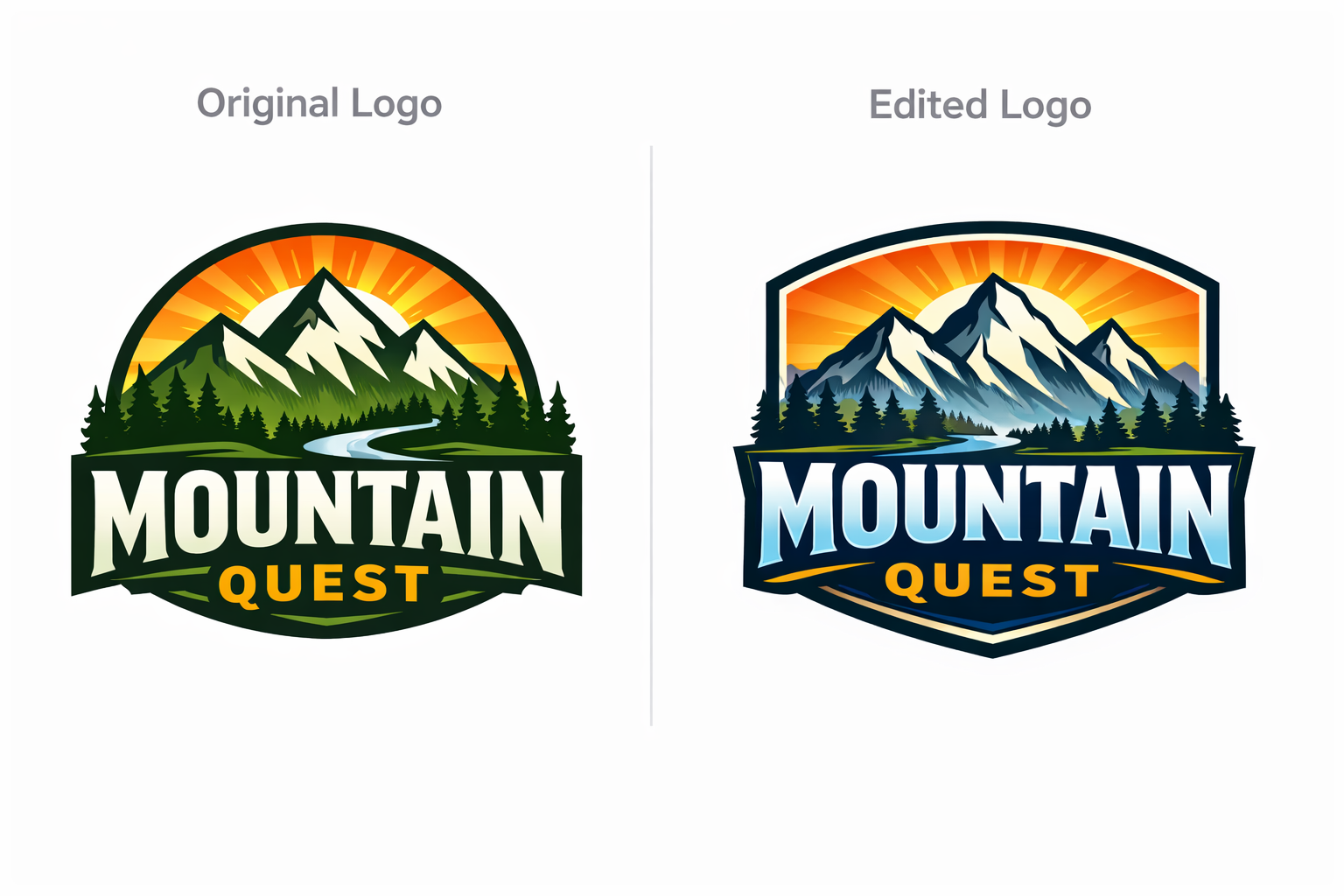
Logo editing is a high-precision image editing task. Given an existing
logo and a narrowly scoped instruction, the model must apply the
exact requested change while preserving everything else perfectly.
Unlike creative design tasks, logo editing typically has a single
correct answer. Any deviation, even subtle, is a failure.
Why Logo Editing evals are different:
Logo editing is judged on exactness, locality, and preservation rather
than visual appeal:
Preserve the original asset identity
Preserve all unedited text, geometry, spacing, and styling
Edit only the explicitly requested region
Produce character-level correctness with zero tolerance for drift
Small errors carry outsized risk. A single letter distortion, number
change, or spill outside the intended region can break brand integrity
and create downstream rework.
Example Tasks:
Inputs: logo image + mask or region description
Tasks: “change the year from 2024 to 2026,” “replace C with S,” “add
TM”
Use these 0–5 scores to rank models and track improvement. Scores
are applied across all requested steps, not per step, so partial
completion is penalized in a controlled and explainable way.
Logo editing is not creative transformation. The output must preserve
the original asset’s identity including color, stroke, letterform, and
icon consistency.
5: Edited characters and symbols perfectly match the original
style. Colors, strokes, letterforms, and icons are indistinguishable
from the original.
4: Extremely minor deviation visible only on close inspection,
with no impact on brand perception.
3: Noticeable but limited deviation in one or more properties that
does not break recognition.
2: Clear inconsistency in color, stroke, letterform, or icon
geometry that affects visual cohesion.
1: Major inconsistency that materially alters the logo’s
appearance.
0: Visual system is corrupted or no longer recognizable.
LLM-as-judge rubric prompt
Below is a judge prompt aligned to your existing LLMajRubricGrader. It
returns structured metric scores + an overall verdict.
You can use this with your existing grader by changing the JSON schema
to include the fields below (or create separate graders per metric if
you prefer).
PROMPT="""<core_mission>Evaluate whether a logo edit was executed with exact correctness,strict preservation, and high visual integrity.Logo editing is a precision task.Small errors matter.Near-misses are failures.</core_mission><role>You are an expert evaluator of high-precision logo and brand asset editing.You specialize in detecting subtle text errors, unintended changes,and preservation drift across single-step and multi-step edits.</role><scope_constraints>- Judge only against the provided edit instruction and input logo.- Do NOT judge aesthetics or visual appeal.- Do NOT infer intent beyond what is explicitly stated.- Be strict, conservative, and consistent across cases.</scope_constraints><metrics_and_scoring>Evaluate EACH metric independently using the definitions below.All metrics are scored from 0 to 5.Scores apply across ALL requested edit steps.--------------------------------1) Edit Intent Correctness (0–5)--------------------------------Measures whether every requested edit step was applied correctlyto the correct target.5: All edit steps applied exactly as specified. Character-level accuracy is perfect for every step.4: All steps applied correctly with extremely minor visual imperfections visible only on close inspection.3: All steps applied, but one or more steps show noticeable degradation in clarity or precision.2: Most steps applied correctly, but one or more steps contain a meaningful error.1: One or more steps are incorrect or applied to the wrong element.0: Most steps missing, incorrect, or misapplied.What to consider:- Exact character identity (letters, numbers, symbols)- Correct sequencing and targeting of multi-step edits- No ambiguous characters (Common confusions: 0 vs 6, O vs D, R vs B)--------------------------------2) Non-Target Invariance (0–5)--------------------------------Measures whether content outside the requested edits remains unchanged.5: No detectable changes outside the requested edits.4: Extremely minor drift visible only on close inspection.3: Noticeable but limited drift in nearby elements.2: Clear unrequested changes affecting adjacent text, symbols, or background.1: Widespread unintended changes across the logo.0: Logo identity compromised.What to consider:- Adjacent letter deformation or spacing shifts- Background, texture, or color changes- Cumulative drift from multi-step edits--------------------------------3) Character and Style Integrity (0–5)--------------------------------Measures whether the edited content preserves the originallogo’s visual system.This includes color, stroke weight, letterform structure,and icon geometry.5: Edited characters and symbols perfectly match the original style. Colors, strokes, letterforms, and icons are indistinguishable from the original.4: Extremely minor deviation visible only on close inspection, with no impact on brand perception.3: Noticeable but limited deviation in one or more properties that does not break recognition.2: Clear inconsistency in color, stroke, letterform, or icon geometry that affects visual cohesion.1: Major inconsistency that materially alters the logo’s appearance.0: Visual system is corrupted or no longer recognizable.</metrics_and_scoring><verdict_rules>- Edit Intent Correctness must be ≥ 4.- Non-Target Invariance must be ≥ 4.- Character and Style Integrity must be ≥ 4.If ANY metric falls below threshold, the overall verdict is FAIL.Do not average scores to determine the verdict.</verdict_rules><consistency_rules>- Score conservatively.- If uncertain between two scores, choose the lower one.- Base all scores on concrete visual observations.- Penalize cumulative degradation across multi-step edits.</consistency_rules><output_constraints>Return JSON only.No additional text.</output_constraints>"""
Use an existing logo image and a narrowly scoped edit instruction.
# Capture the logo judge prompt.logo_judge_prompt =PROMPTlogo_input_path = Path("../../images/logo_generation_1.png")logo_prompt ="""Edit the logo by changing the text from FIELD to BUTTER .Do not change any other text, colors, shapes, or layout."""logo_criteria ="""The requested edit is applied exactly.All non-target content remains unchanged.Character style, color, and geometry remain consistent with the original."""logo_case = TestCase(id="logo_year_edit",task_type="image_editing",prompt=logo_prompt,criteria=logo_criteria,image_inputs=ImageInputs(image_paths=[logo_input_path]),)logo_run = ModelRun(label="gpt-image-1.5-logo",task_type="image_editing",params={"model": "gpt-image-1.5","n": 1, },)logo_store = OutputStore(root=Path("../../images"))
{'test_id': 'logo_year_edit',
 'model_label': 'gpt-image-1.5-logo',
 'task_type': 'image_editing',
 'artifact_paths': ['../../images/edit_logo_year_edit_gpt-image-1.5-logo_1769659071403_0.png'],
 'scores': {'edit_intent_correctness': 5.0,
  'non_target_invariance': 0.0,
  'character_and_style_integrity': 2.0,
  'verdict': 'FAIL'},
 'reasons': {'edit_intent_correctness': '',
  'non_target_invariance': '',
  'character_and_style_integrity': '',
  'verdict': 'Target text was correctly changed from “FIELD” to “BUTTER” (now reads “BUTTER & FLOUR”). However, major unrequested changes occurred: the background changed from a gray gradient to solid black, and the logo’s overall rendering/contrast differs (the original had a soft glow/embossed look, while the edited version is flatter with different tonal values). These violate the instruction to not change any other colors, shapes, or layout.'},
 'run_params': {'model': 'gpt-image-1.5', 'n': 1}}
Show the edited logo and logo edit scores in a single pandas table.
render_result_table(case=logo_case, result=logo_result, title="Logo Editing: Prompt vs. Scores")
Logo Editing: Prompt vs. Scores
Input Prompt
Scores
Reasoning
Edit the logo by changing the text from FIELD to BUTTER .
Do not change any other text, colors, shapes, or layout.

Criteria:
The requested edit is applied exactly.
All non-target content remains unchanged.
Character style, color, and geometry remain consistent with the original.
Target text was correctly changed from “FIELD” to “BUTTER” (now reads “BUTTER & FLOUR”). However, major unrequested changes occurred: the background changed from a gray gradient to solid black, and the logo’s overall rendering/contrast differs (the original had a soft glow/embossed look, while the edited version is flatter with different tonal values). These violate the instruction to not change any other colors, shapes, or layout.
Image models are shifting from “cool demos” to production tools that
generate real artifacts—screens, flyers, product visuals, and brand
edits that influence decisions and ship to customers. The core lesson of
this cookbook is simple: you can’t evaluate these systems with generic
“looks good” scores. You need workflow-specific evals that are
repeatable across model versions, prompts, and settings. Multimodal
LLMs make this practical by acting as scalable judges—when paired with
tight rubrics, structured outputs, and human calibration.
A practical vision-eval program starts small and gets sharper over time:
Start with gates. Add strict pass/fail graders for the failure
modes that break real work: missing required components, incorrect
copy, edits spilling outside the intended region, or unintended
changes to preserved areas. This prevents “pretty but wrong” outputs
from masking regressions.
Layer in graded metrics. Once hard failures are controlled, use
0–5 rubrics to capture what matters for usability and quality in each
workflow (e.g., hierarchy in UI mockups, brand fit in marketing, or
fidelity/preservation in editing).
Tag failures to iterate faster. Consistent failure tags turn a
pile of outputs into actionable engineering work: you can quantify
what’s breaking, find clustered root causes, and track progress as you
tune prompts, model settings, masks, or post-processing.
Use humans strategically. Humans add the most value on subjective
or ambiguous dimensions (“vibe,” usability clarity, trustworthiness),
but only if you keep rubrics tight and use calibration anchors to
prevent drift.
Treat the harness as a product. The reusable harness you
built—test cases, runners, graders, and stored artifacts—creates the
foundation for regression testing, parameter sweeps, and side-by-side
comparisons. Over time, your eval suite becomes your safety net: it
catches subtle failures early and makes improvements measurable.
Evolve as needed. You can redesign your grader prompts with the
complex metrics over time. One natural next step would be splitting
the single-shot grader prompt into multiple calls to focus on a
specific metric.
Build evals that reflect how images are actually used, enforce
correctness before aesthetics, and make iteration data-driven. When your
evals are aligned with real workflow requirements, image generation and
editing stop being unpredictable art projects and become tools teams can
trust.